






















SCHOOL DISTRICT MANAGEMENT SOFTWARE
Bring your district’s operations together in one powerful platform
Purpose-built for K–12 districts, Incident IQ connects technology and operations to power efficient, connected learning environments.

Trusted by 2,000+ School Districts in all 50 states














OPTIMIZE DISTRICT OPERATIONS
Turn daily friction into predictable, streamlined operations
Incident IQ gives you the clarity and workflows to cut through scattered data, outdated tools, and crossed signals so the work behind teaching and learning finally runs the way it should.
CHALLENGE: NO VISIBILITY FOR PROACTIVE PLANNING
Get ahead of issues, not blindsided by them
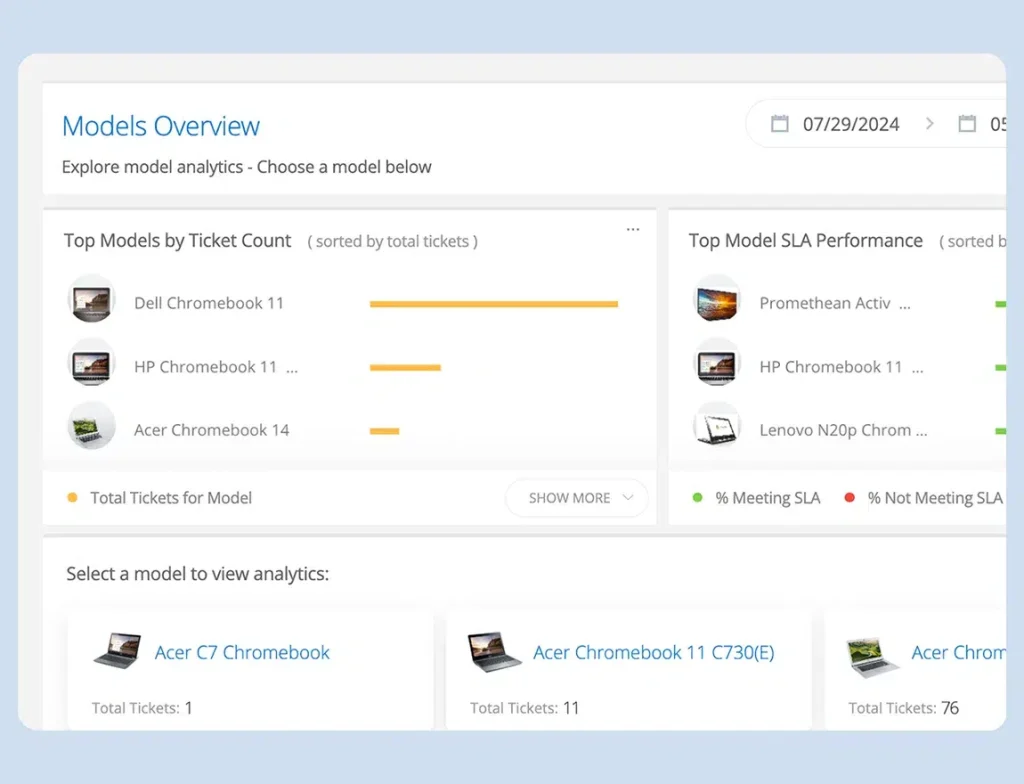
When data lives in spreadsheets and inboxes, planning turns into reacting. Incident IQ shows real-time trends like device repair patterns, request volume by building, and material gaps, so leaders can plan ahead and understand what resources are actually needed.
CHALLENGE: TOO MANY TOOLS, NOT ENOUGH CLARITY
Replace tool sprawl with one district-wide view
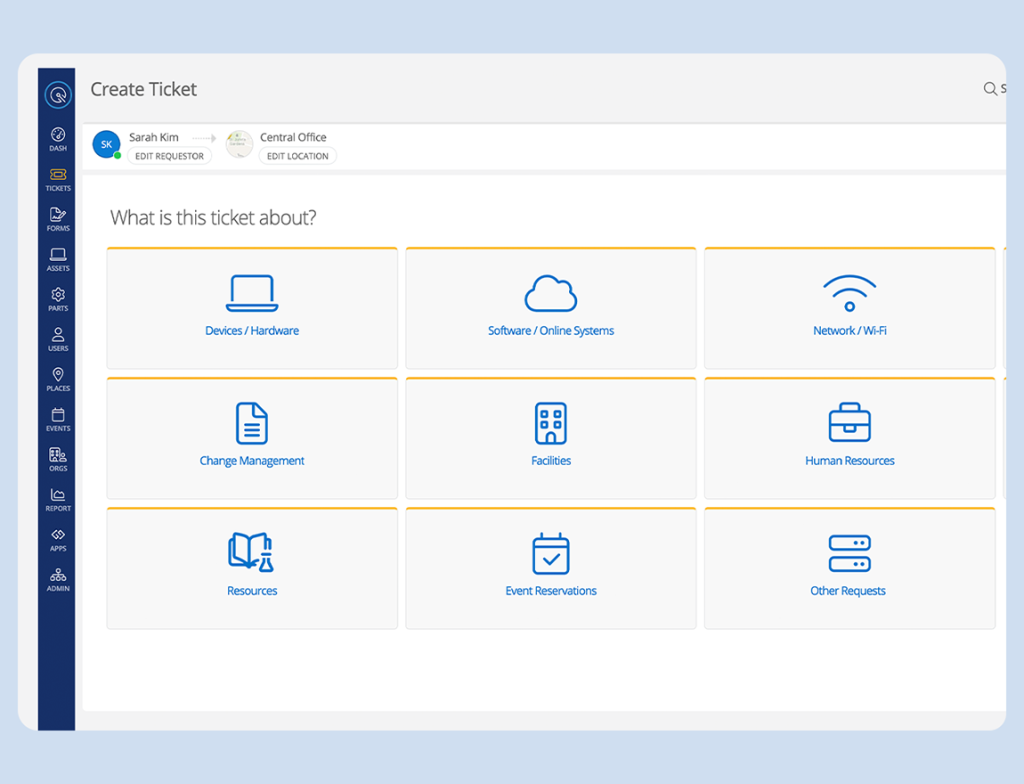
When teams jump between disconnected systems, oversight becomes a scavenger hunt, and records don’t line up. Incident IQ unifies requests, assets, work orders, inspections, approvals, and events in an always-current system, so data stays accurate, and planning stays flexible.
CHALLENGE: SILOED COMMUNICATIONS
Give every team the same source of truth
When updates live in different places, follow‑ups multiply and accountability blurs. Incident IQ keeps conversations, files, checklists, and status tied to the work, so every team sees what’s done, what’s next, and who owns it.

impact on District Operations
Districts that simplify their operations see results like these
200k
Annual savings
District leaders reduce costs by consolidating tools and contracts, with savings reaching $200,000 annually and budget redirected to students, staff, and long-term priorities.
56%
Lower device loss in two years
IT teams reduce device loss by 56% by connecting assets to user records and tracking movement across the district.
500
Hours saved
Operations teams save over 500 hours by reducing manual follow-ups and repetitive coordination.
Built for K–12 Schools
Simplify how your district works, team by team
Technology, facilities, and curriculum all have a single system to depend on for seamless operations.
Device Tracking
Give your tech team smarter intake, device context, and reporting you can take straight to leadership meetings.
“We now have a much better handle on what devices we have and who has them. The connection between tickets, students, and devices gives us the whole picture instead of disjointed information.”
Jessica Ax, Director of Technology, Innovation, and Assessment, Moreno Valley Unified School District

Holistic Facilities Management
Keep buildings running with organized work orders, preventative maintenance, and one clear system for everything facilities teams touch.
“The secret sauce to having world-class facilities is communication and collaboration–and Incident IQ delivers that.”
Danny Clemens, Director of Buildings and Grounds, Bullitt County Schools
Centralized database
Know exactly what is in stock, where it is assigned, and what needs replenishing without the scavenger hunt.
“I had somebody ask me if I had these books. For the first time ever, I was able to pull up the information on my computer and say: ‘Yeah, I have 23 of them in the warehouse.’ I felt great! Usually I have to drive all the way down to the warehouse to physically count and see.”
Diana Taylor, Executive Secretary of Curriculum and Assessment Canon City Schools

Award-winning management software for K–12 workflows

Award of Excellence
Back to School

ISTE Best of Show


Product of the Year
Strategies for less confusion and better decisions
Explore content designed to help you tackle today’s K–12 operational challenges and build systems that evolve with the times.

K–12 IT Support
The IT Buyer’s Guide: Why Generic Tools Fail K–12

Asset Management
From Silos to Solutions: How to Make the Case for a Unified K–12 Operations Platform

Asset Management
How Resilient Are Your District Operations Against Rising Costs and Budget Uncertainty?
Frequently Asked Questions
Most systems were built for corporate IT and later adapted for schools. Incident IQ was built specifically for K–12 districts, which means it understands SIS data, school schedules, shared devices, and how work actually flows across campuses. Instead of managing separate tools for tickets, assets, facilities, and materials, districts use one platform designed to work together from the start.
Yes. Incident IQ integrates with major SIS, SSO, MDM, and payment systems to keep data in sync automatically. That means fewer manual updates, fewer errors, and a clearer picture across departments without asking staff to change how they log in or enter information. Visit our Apps & Integrations catalog for a full list of systems that we integrate with.
Absolutely. Incident IQ supports districts of all sizes, including large, multi-campus systems. Workflows, permissions, and modules can be configured to match your structure today and adjust as your district grows or priorities change.
Incident IQ gives everyone a shared system for requests, updates, and approvals. Information stays tied to the work itself instead of living in separate inboxes or spreadsheets. That makes ownership clearer, handoffs smoother, and follow-ups easier without constant status checks.
When information is spread across spreadsheets and inboxes, leaders end up reacting. Incident IQ helps you spot patterns and needs earlier by letting you check live device health, review repair trends, see which buildings are submitting the most requests, and track which classrooms are still waiting for materials, so planning and budget conversations are based on what’s actually happening.
Yes. Incident IQ is built to reduce the patchwork by allowing teams to submit requests, track assets, log repairs, update inspections, and manage events in one connected system. That means less jumping between platforms and fewer mismatched records slowing down routine work.
Districts use Incident IQ to reduce overlapping tools and contracts so more budget can go toward students, staff, and long-term priorities, helping simplify the operational stack instead of adding another point solution.