





























K–12 IT Support


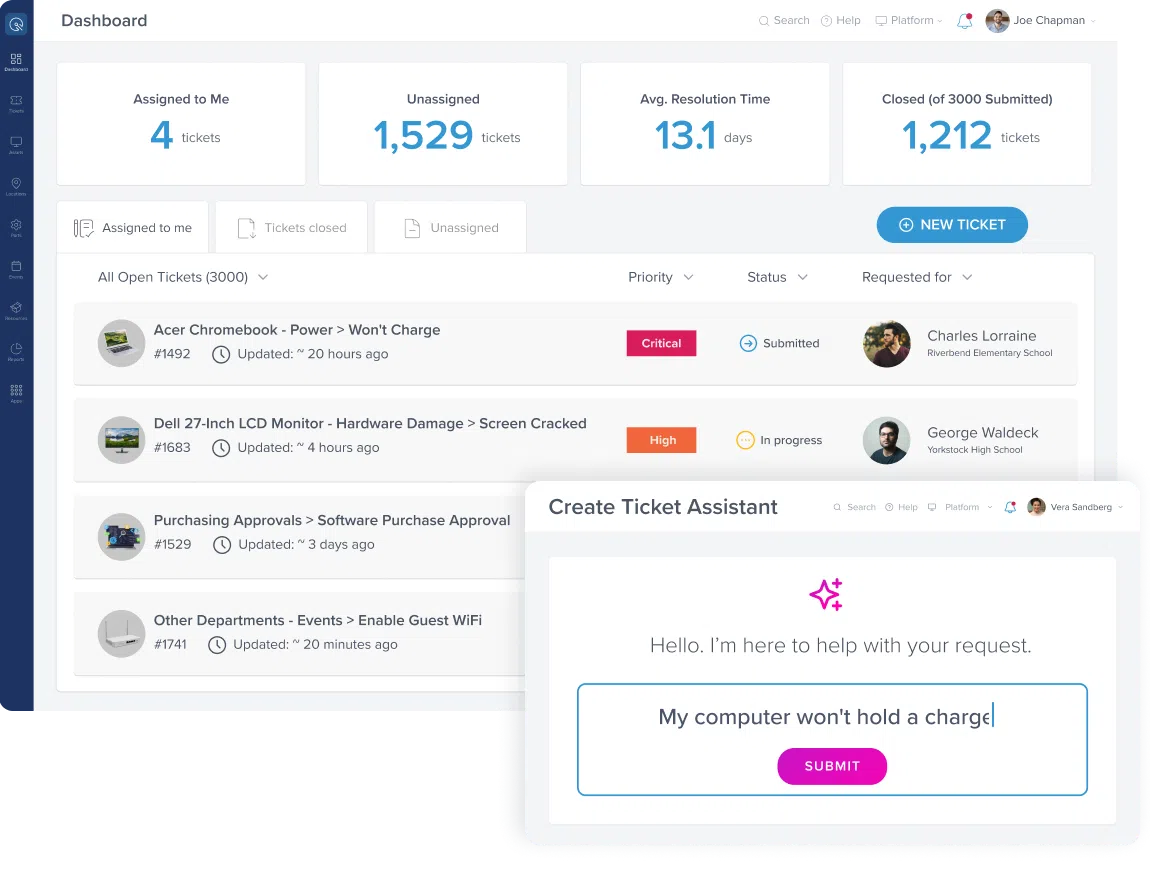
Built for K–12 workflows, iiQ Ticketing delivers an AI-powered help desk that guides users through streamlined submissions, automates routing and triage, and transforms every request into clean, actionable data — so your team can respond faster and plan with confidence.
Award Winning Software Trusted by 2,250+ K–12 Districts in all 50 states





































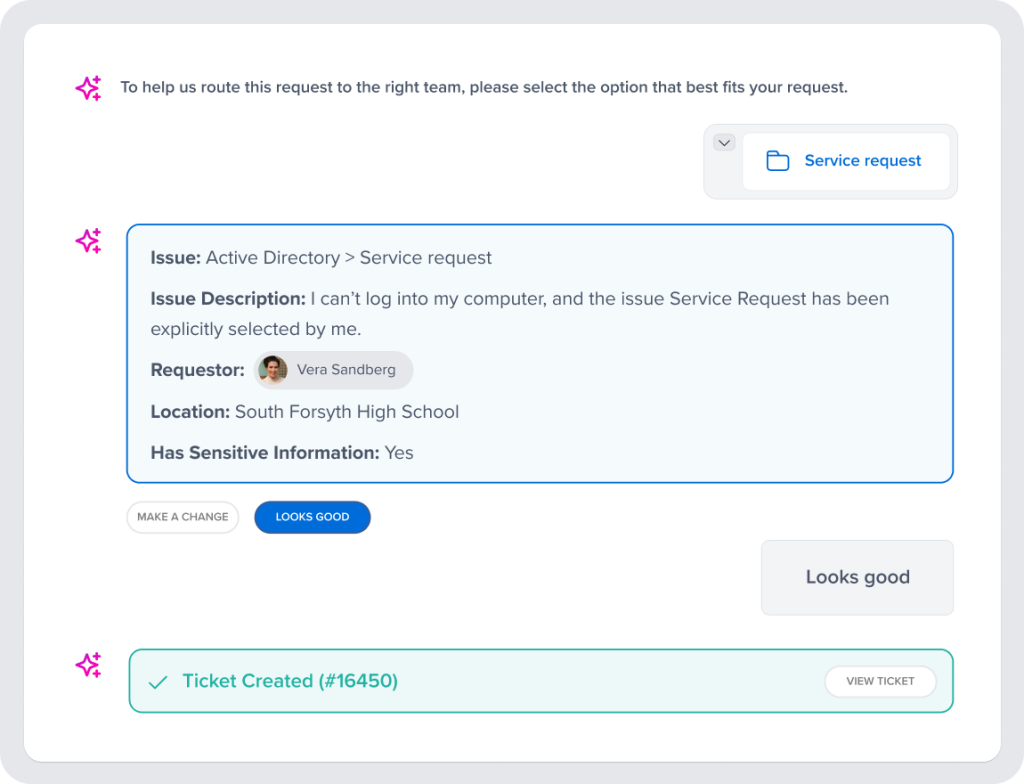
AI Ticket Assistant makes it easy for teachers to quickly submit complete requests while equipping your IT team with decision-ready data from the start.
Discover how iiQ Ticketing helps K–12 IT teams manage support requests, automate ticket workflows, and resolve issues faster so teachers can stay focused on teaching.
Automation clears the bottlenecks in your day-to-day work, so your team can resolve issues faster and keep support moving.


Dashboards and reporting turn your ticket data into instant, actionable insight, helping you justify your budget, prioritize resources, and strengthen your district’s technology strategy.
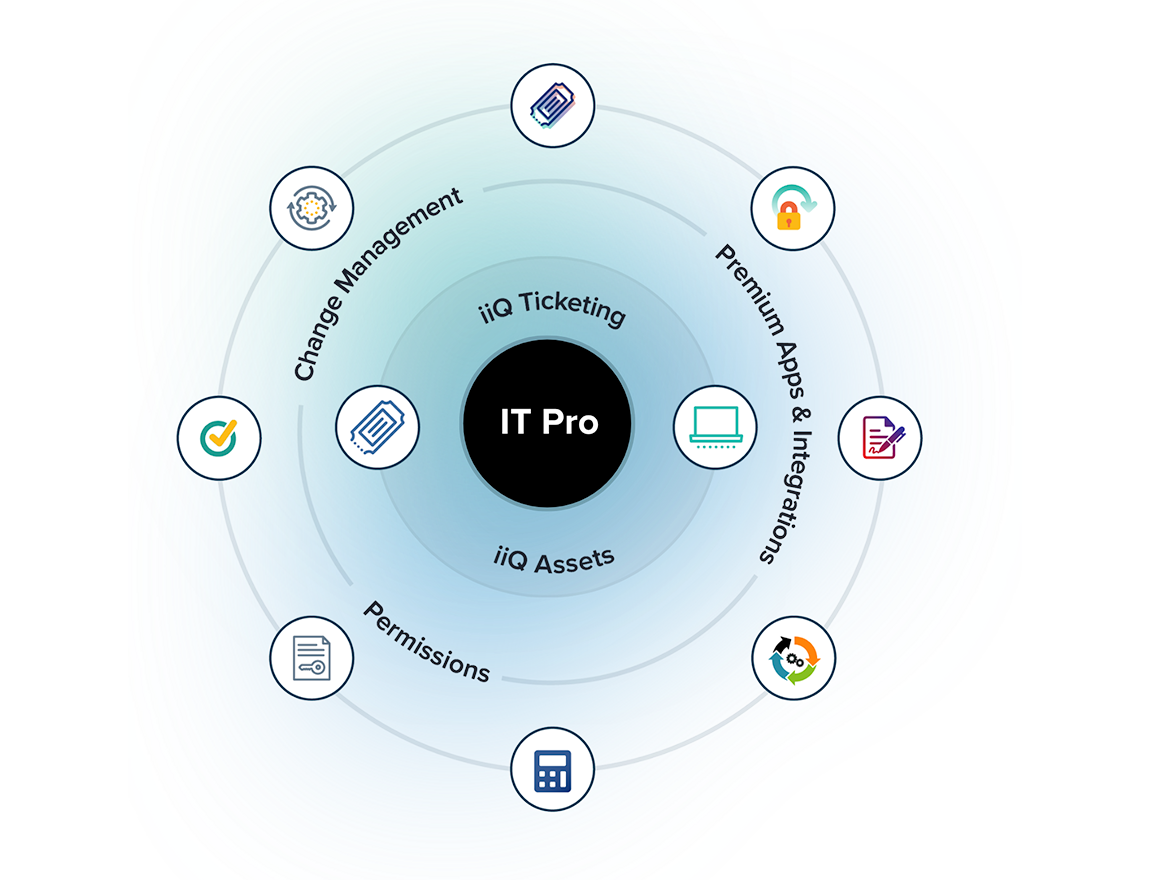
Extend iiQ Assets with advanced permissions, change management, and deeper workflow capabilities. iiQ IT Pro helps teams coordinate complex operations while maintaining clear access, accountability, and visibility.
faster ticket resolution
Districts see 2x faster ticket resolution with automated routing that reduces back-and-forth and minimizes classroom disruptions.
minutes saved per ticket
School IT teams save 35+ minutes per ticket with cleaner intake and smarter workflows that eliminate unnecessary follow-ups.
reduction in response time
Teams achieve up to 90% faster response times by using standardized forms that capture the right issue and asset details up front.
“It’s always hard to tell how much your FAQs or Knowledge Base are actually deflecting tickets, but this gives you a way to say, ‘Hey, here’s the exact answer you may be looking for.’ And with Incident IQ, you do have analytics on that, which is super cool.”
Michael Carter, Director of Information Technology, Coweta Public Schools

“As an administrator, I’ve gone into Incident IQ and seen how we can make categories and create rules customized to fit our district’s needs. It’s like night and day from what we were using before. We absolutely love it. It is so easy to use.”
Laurie Ramsay, IT Helpdesk Supervisor, Nampa School District
“We wanted a platform that was easy for our agents and end users. But we really needed asset management built into our ticketing system so that we could keep better track of our devices.”
Elaine Low, Technical Support Specialist, Rankin County School District
Help desk software for schools should reflect how K–12 districts actually operate, not how corporate IT environments operate. Traditional help desk tools are built for enterprise IT teams, not schools, leading to workflow gaps in managing shared devices, classroom-based requests, approval chains, and instructional priorities.
iiQ’s school IT ticketing system is built exclusively for K–12 tech teams. Workflows mirror how schools route requests, manage device assignments, and coordinate across campuses. Integrations with student information systems (SIS) and device management tools ensure tickets include accurate student, staff, and device context from the start.
A K–12 help desk software integrates with student information systems (SIS) and SSO systems by syncing student and staff records, class rosters, and authentication data directly into the ticketing platform.
iiQ Ticketing integrates with SIS platforms to keep user records current and aligned with the SIS platforms. Single sign-on (SSO) allows teachers and staff to access the system securely using existing district credentials. This reduces manual account management and ensures ticket submissions reflect accurate user and device information.
In iiQ Ticketing school help desk software, ticket routing can be automated using configurable rules based on issue type, location, device category, keywords, or department.
iiQ Ticketing includes a rules engine that automatically assigns and prioritizes tickets according to district-defined workflows. This reduces manual triage, prevents misrouted requests, and ensures issues reach the correct technician or campus team without delay.
Instruction-impacting tickets can be prioritized using automated classification and predefined urgency rules.
iiQ’s school ticketing software allows districts to define priority levels based on issue type, user role, or instructional impact. AI-powered classification analyzes ticket submissions in real time and recommends appropriate categorization and routing. This ensures classroom-disrupting issues are escalated quickly, while lower-priority requests follow standard workflows.
K–12 help desk software should provide visibility into ticket volume, response times, resolution times, backlog trends, and technician workload across schools.
iiQ Ticketing offers configurable dashboards and detailed reports by school, technician, issue type, and service level agreement (SLA). District leaders can monitor trends, identify recurring issues, and evaluate support performance across campuses to inform staffing and operational planning.
A modern help desk software for K–12 should include automated ticket classification, intelligent routing, contextual knowledge base suggestions, and real-time ticket summaries.
iiQ Ticketing includes AI-powered enhancements that:
AI operates securely within the iiQ platform and does not send district data to public models. Learn how AI works in K–12 IT support which allows districts to increase efficiency while maintaining data protection standards.
Granular permissions are managed through role-based and attribute-based access controls.
iiQ Ticketing allows districts to define permissions based on user role, department, grade level, school site, or asset type. Staff members see only the tickets and data relevant to their responsibilities, while district leaders maintain broader oversight. This supports governance while protecting sensitive student and staff information.
Multi-stage approvals are managed through configurable approval workflows tied to ticket categories or request types.
iiQ Ticketing supports structured approvals for hardware purchases, access requests, software changes, and other district processes. Approval steps can be automated and documented within the ticket record, creating a clear audit trail for compliance and funding accountability.
Districts looking to standardize intake and approvals can also learn how to build an effective ticket triage process to ensure requests are routed, prioritized, and approved consistently across schools.
Yes. iiQ Ticketing integrates with SIS platforms to automatically sync student enrollments, staff assignments, and roster data on a recurring basis.
When students change schools or staff roles change, records update within the system, maintaining accurate ticket and device associations without manual data entry. This ensures technicians always have current user and device context when responding to requests.
Transitioning from email or spreadsheet-based systems requires structured data migration and phased rollout planning.
iiQ provides implementation support to import historical data, configure workflows, and align the system to district needs. Districts can start with pilot groups and expand over time, often aligning rollout with district size and complexity to ensure a smooth transition.
A help desk built for K–12 helps districts reduce costs by replacing manual processes with automated workflows that eliminate duplicate work, misrouted tickets, and wasted staff time. With iiQ Ticketing, detailed reporting helps IT leaders identify recurring issues early, forecast needs accurately, and allocate resources where they’ll have the most impact. Districts using iiQ Ticketing have reported cutting ticket response times by up to 90%, and 70% of customers report saving 35 minutes or more per ticket. That recovered time translates directly into capacity for strategic work and fewer disruptions to instruction.
iiQ Ticketing is built to align with FERPA, COPPA, and SOC 2 standards, providing a level of data protection that many generic help desk tools weren’t designed to meet. Role-based and attribute-based permissions ensure staff only see the tickets and information relevant to their responsibilities, while district leaders maintain broader oversight. AI features operate securely within the iiQ platform and do not send district data to public models. Approval workflows and ticket audit trails create documented records that support compliance reporting and funding accountability. This built-in alignment reduces risk and gives districts confidence that sensitive student and staff information stays protected without requiring additional security add-ons.
When a ticket comes in, iiQ Ticketing automatically pulls in the relevant student or staff profile, their assigned device, warranty status, repair history, and funding source, all in one view. Technicians don’t need to toggle between systems or manually look up device records to understand the full picture. IT staff can also assign or check out replacement devices directly from within the ticket, keeping support and device management connected in a single workflow. This unified context helps teams resolve issues faster, reduces errors from manual record-keeping, and gives leaders visibility into how devices and support requests are connected across the district.


